BLOXSTRAP

Download Bloxstrap the #1 Free and open-source, alternative bootstrapper for Roblox.
Bloxstrap is an unofficial launcher designed for Roblox, offering a completely safe experience without the risk of account bans. Unlike unauthorized mods or cheats that interfere with game mechanics, Bloxstrap serves solely as an alternative launcher. It enhances the user experience with added features and customization options, without altering any core game files. This makes it a popular choice among dedicated Roblox players who want greater control and flexibility in how they access and enjoy the game, while maintaining the game’s integrity.
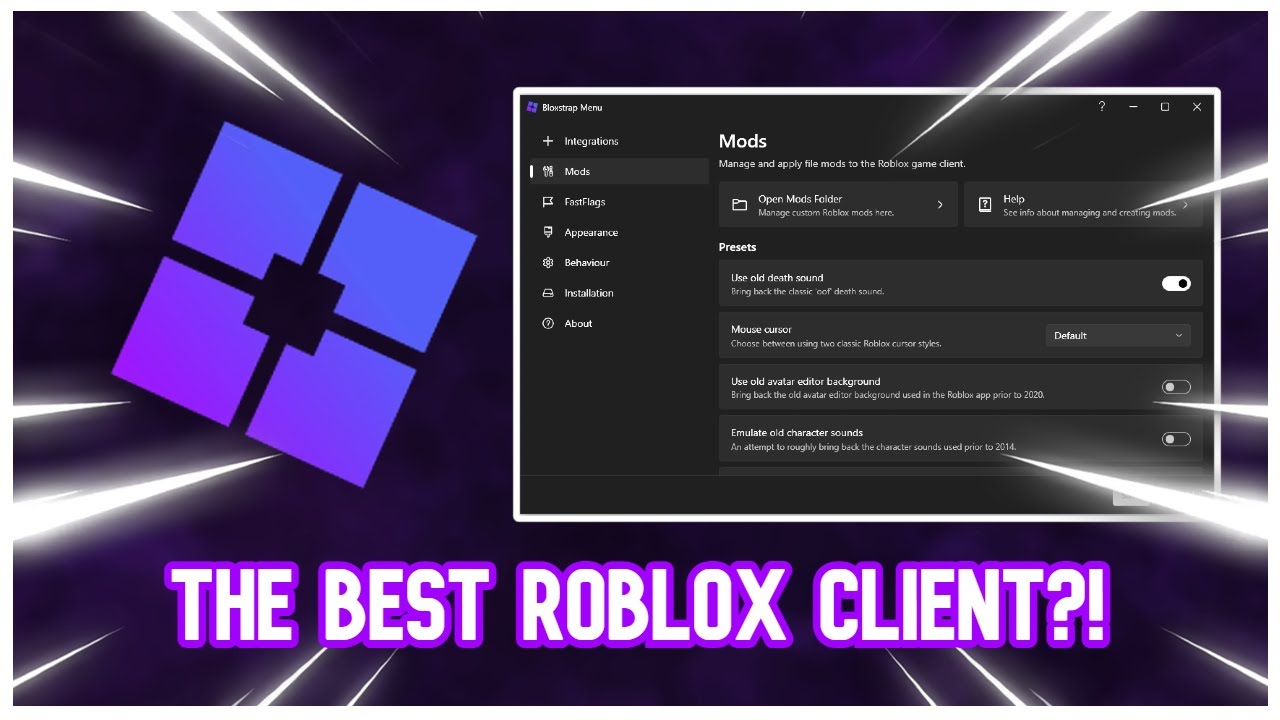
Table of Content
What is Bloxstrap?
Bloxstrap is a versatile, open-source alternative launcher crafted for the widely loved online platform, Roblox. Created by the skilled developer pizzaboxer, Bloxstrap enhances the gaming experience by offering more control and flexibility for Roblox players. With its ability to adjust various aspects of the launcher, Bloxstrap allows users to customize their experience, offering an array of themes and styles to refresh the interface based on personal preferences. It also supports mods, empowering players to tweak visuals, gameplay settings, and the user interface for a completely personalized gaming adventure.
One of the key highlights of Bloxstrap is its integration with Discord, a popular communication tool
among gamers.
Using Discord Rich Presence, Bloxstrap lets users broadcast their in-game activities to friends, showing
exactly
which Roblox game they're playing. This feature not only enhances social engagement and fosters
community interaction,
but it also makes it easier for friends to jump into each other's games with just a click. With
extensive customization
options and seamless compatibility with common gaming tools, Bloxstrap stands out as an appealing choice
for Roblox players
seeking to elevate their gaming experience.
Follow the link below to visit the official website of Bloxstrap:
https://bloxstrapofficial.com/
Download Bloxstrap
Bloxstrap || v2.7.0 || 7.06MB
DownloadSteps to Install and Use Bloxstrap
Step 1
Head over to the official Bloxstrap website and hit the download button. Make sure to select the latest version to begin the download.
Step 2
After the download is complete, find the "Bloxstrap.exe" file in your downloads or wherever you saved it.
Step 3
Run the "Bloxstrap.exe" file to begin the installation. If it asks to install the .NET Desktop Runtime, confirm by clicking "Yes."
Step 4
Once the .NET Desktop Runtime is installed, run "Bloxstrap.exe" again to complete the setup process.
Step 5
Open the Roblox Player and start enjoying an enhanced experience with Bloxstrap.
Bloxstrap: Setup and Feature Guide
- Step 1: Download and Install Bloxstrap - Begin by downloading the Bloxstrap software from the official site.
- Step 2: Launch Bloxstrap - Locate the Bloxstrap application in your start menu or desktop and open it.
- Step 3: Link Bloxstrap with Roblox - On your first use, point to the Roblox directory when prompted, allowing Bloxstrap to automatically integrate.
- Step 4: Explore Features and Settings - Browse through the dashboard, check out features like performance tracking, notifications, and customizations.
- Step 5: Customize Features - Adjust settings with the provided switches and checkboxes to suit your gameplay preferences.
- Step 6: Save Changes and Launch Roblox - Apply your selected configurations and start Roblox with Bloxstrap’s enhancements.
- Step 7: Manage Multiple Game Sessions - Use Bloxstrap’s multi-instance support to run several Roblox sessions simultaneously.
Key Features Overview
In-Game Customization and Controls
With Bloxstrap, players can adjust in-game settings, like resolution and FPS, beyond the basic options provided by Roblox. This ensures a more optimized and tailored gaming experience.
Multi-Profile Switching
Seamlessly switch between different Roblox profiles without the hassle of logging out. Ideal for users with multiple accounts or families sharing one device.
Performance Optimization Tools
Boost your game performance with Bloxstrap’s built-in options for reducing lag and improving FPS, especially beneficial for low-spec PCs or those wanting smoother gameplay.
Extensive Personalization Options
Customize the look and feel of the launcher by adjusting themes, layouts, and other aesthetic elements to match your style.
Advanced Debugging and Diagnostics
Utilize advanced logging and debugging tools to troubleshoot issues or improve the client’s performance, helping to resolve errors quickly.
FAQ's
Is it safe to use Bloxstrap?
▼Yes, Bloxstrap is completely safe. It is an open-source launcher specifically designed for Roblox, ensuring that it adheres to Roblox's policies and does not affect the game’s functionality.
Can using Bloxstrap result in a ban?
▼No, using Bloxstrap will not lead to a ban. It is a legitimate tool that adds extra features and does not alter the core game, so it complies with Roblox's terms of use.
Does Bloxstrap allow for customization?
▼Definitely! Bloxstrap includes several customization options such as themes and graphical settings, allowing users to personalize their Roblox interface and gameplay experience.
Is there any additional software needed for Bloxstrap?
▼You may need to install the .NET Desktop Runtime if it isn’t already on your system. The installation wizard will guide you through any additional software requirements.
What is the process for updating Bloxstrap?
▼To update Bloxstrap, simply download the latest release from the official source and run the installer. It will automatically upgrade your current version to the latest one available.
Final Thoughts
Bloxstrap is a highly flexible and user-friendly launcher designed to enhance your Roblox experience. With key features like multi-account switching, performance enhancements, and extensive customization options, it offers greater control and convenience. Whether you're a casual user or a dedicated gamer, Bloxstrap can elevate your Roblox sessions.